Don't trust one AI. Audit them all.
Press send once. ChatGPT, Gemini, Claude, Grok, Perplexity and any AI you use answer, cross check each other, and merge into one result you can actually trust.
New Campaign mode fills Google Ads and Meta ads with lines from your AIs.

 ChatGPT
 Gemini
 Claude
 Grok
Grok
 Perplexity
 DeepSeek
& more
DeepSeek
& more
No extra tokens to buy
Other tools sell you credits. AI Audit never does. Ever.
Your own AI accounts
Free or paid plans both work. Your logins stay yours.
Any model you want
Everything your ChatGPT, Gemini or Claude plan already offers.
No API keys, no setup
Sign in to your AI sites normally and press send. That is it.
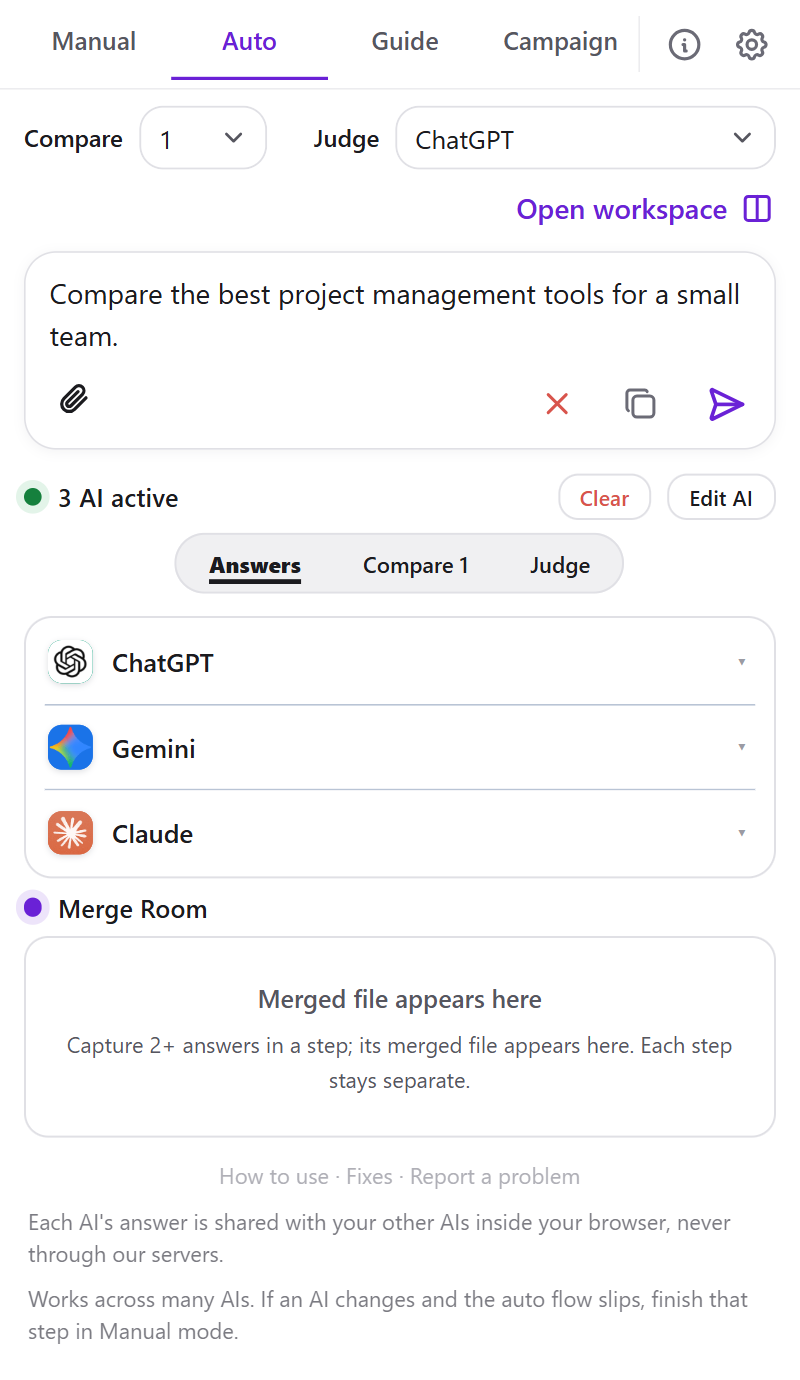
Fully automatic. One send does it all.
Ask your question once and watch every AI work on it live, with no clicks in between.
- Opens a tiled workspace of your AIs
- Runs the answer, compare and judge steps
- You just read the final answer
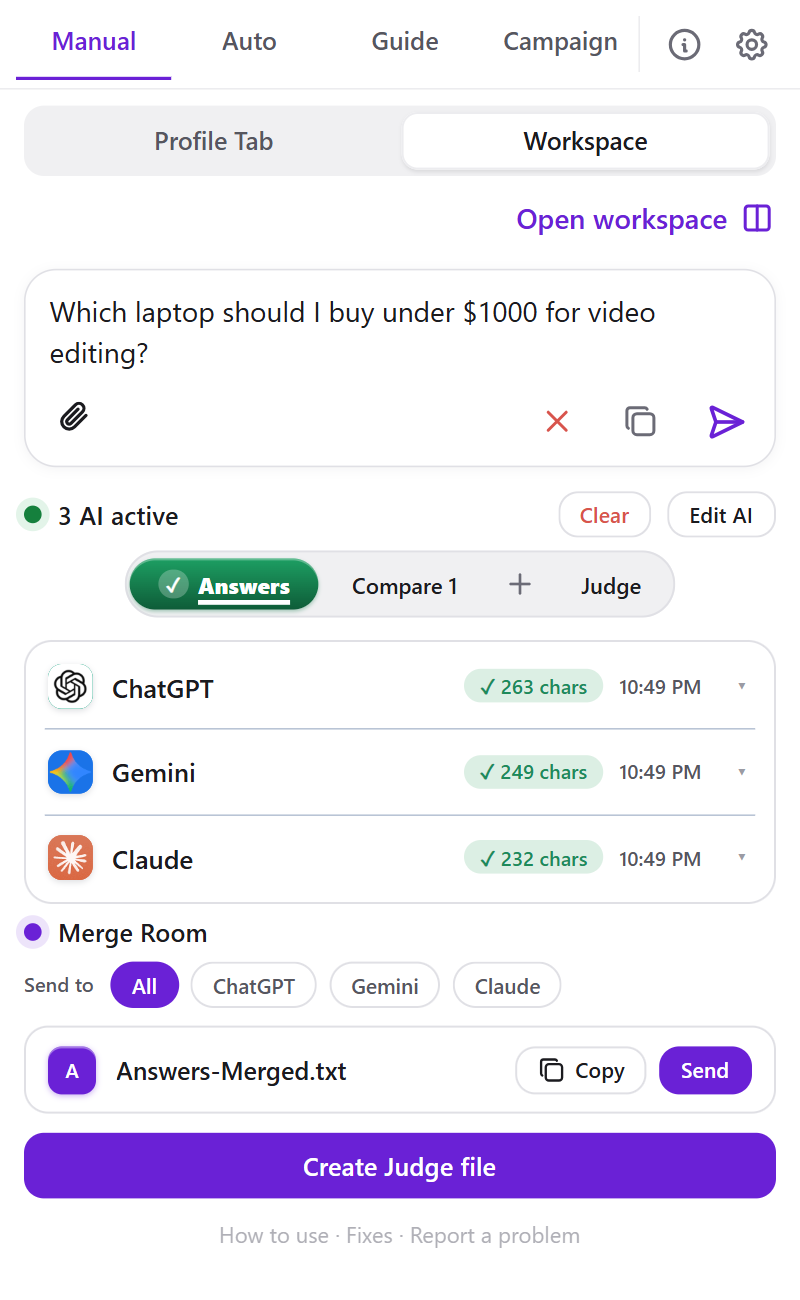
You stay in control. Capture what you like.
Send to the chats you already have open and build the audit at your own pace.
- Works with the chats you have open
- One click captures each answer
- You pick the judge and merge
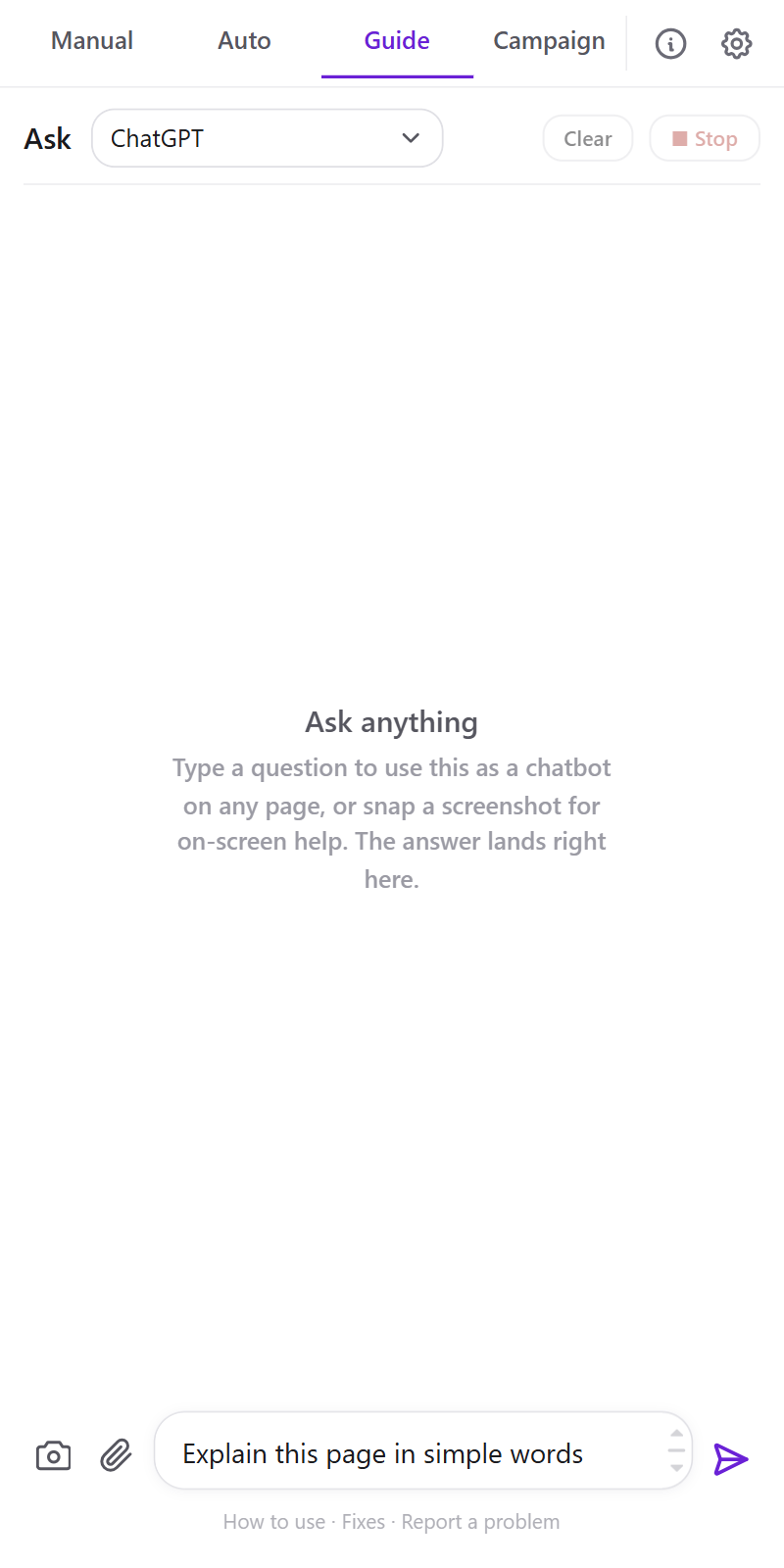
Help on any page. One straight answer.
Ask about anything on your screen and get the answer right in the panel.
- A chatbot on any page you visit
- Screenshot in, answer out
- Pick which AI answers you
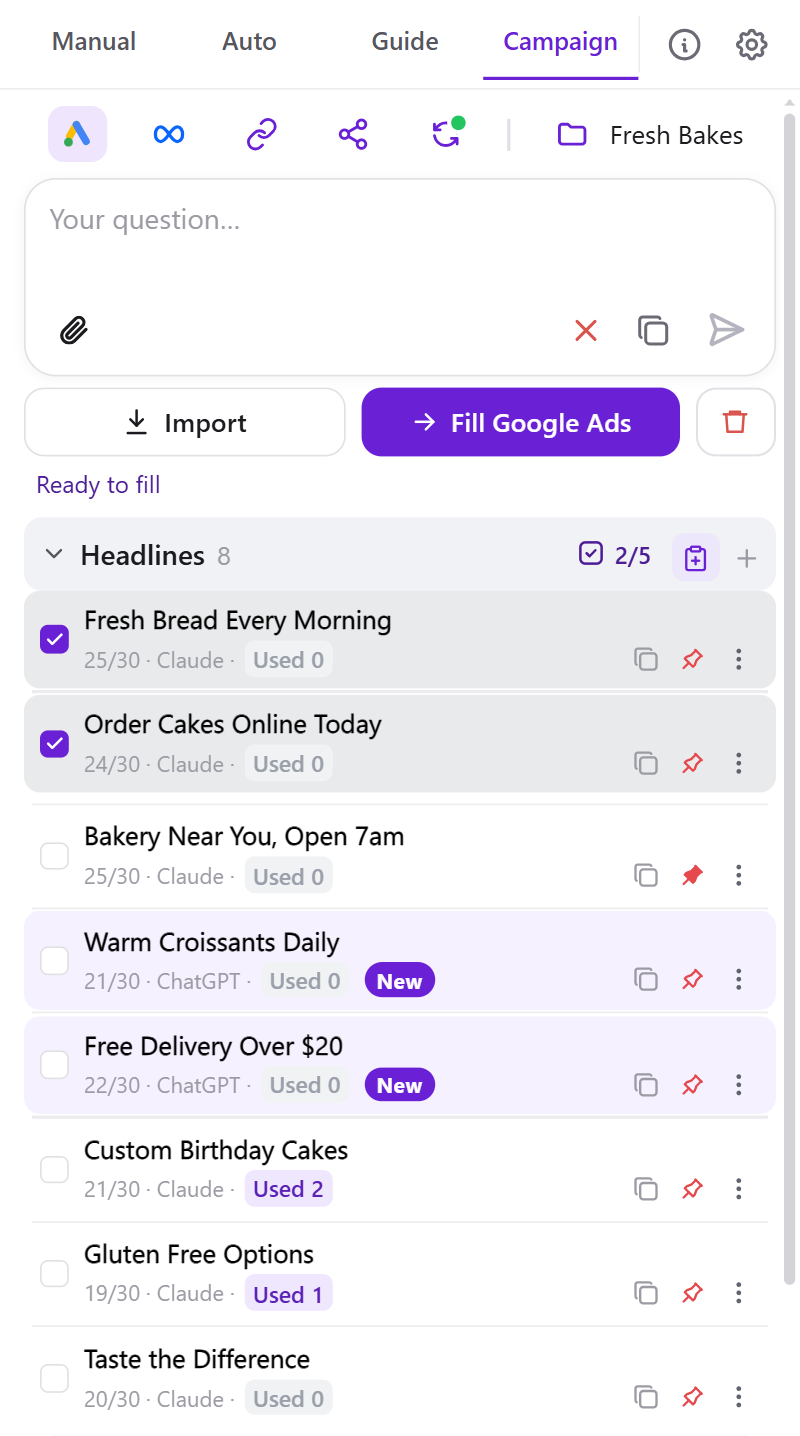
AI ad lines, straight into Google Ads and Meta.
Ask your AIs for headlines and descriptions, keep the best lines, and fill the ad you have open.
- Import an answer or copy lines from any page
- Pick up to 5 lines, then press Fill
- See where each line was already used
Why AI Audit
Compare many AIs from one place
Ask once and review answers from the AI platforms you already use. No tab juggling, no copy and paste.
Privacy comes first
Your prompts, answers and reports stay local on your device.
Use any AI model you want
Add the AI tools you prefer and compare exactly the models you choose.
No third party token buying
Use your own AI plans, not extra credits or query packs.
No API setup needed
Sign in to your AI tools normally. No keys or developer setup.
Local history you can reopen
Save audits, steps and reports locally, then continue anytime.
Manual, Auto, Guide and Campaign
Choose full control, an automatic audit, help on any page, or ad lines for Google Ads and Meta.
Built for better final answers
Find missing points, compare the logic and improve the result.
Works while you browse
Open the side panel or the Guide helper on any page while you research or work.
From one question to one trusted answer.
Ask once
Type your question in the side panel.
Every AI answers
All the AIs you use respond.
Cross check
They cross check and improve each other's answers.
Keep the best
Get one merged answer to rely on.
Yearly access.
Every feature, fully unlocked. One yearly plan, priced fairly for your region.
Less than one coffee a month.
- Compare every AI in one place
- Auto Audit with compare and judge steps
- Guide helper on any page
- One answer you can trust
- 100% local and private
- Campaign for Google Ads and Meta
- Renews yearly, cancel any time
FAQ
Is it really private?
Yes. Your prompts, captured answers, screenshots and ad lines stay in your browser and are never sent to our servers. If you sign in, our server receives only your account email, a device id and label (used for the 2 device limit) and your subscription status. Your content never leaves your device.
Do I need accounts for the AIs?
You use your own logins on each AI's site, and AI Audit works alongside them. It never sees or stores your passwords.
How much does it cost?
AI Audit gives you a 5 day free trial to start, no card needed. After that it is one yearly plan, priced fairly for your region. It renews every year, and you can cancel any time from your account.
Does it cost extra tokens?
No. It uses the AI tabs you already have open with your own plans. No API keys, no extra credits.
Which browsers are supported?
Chrome and Chromium based browsers like Edge and Brave.
Can it write ads for Google Ads and Meta?
Yes. Campaign mode keeps the headlines and descriptions your AIs write, and fills the lines you pick into the Google Ads or Meta ad you have open. You review and publish the ad yourself.
Can I use it in more than one Chrome profile?
Yes. Pick the AI Audit folder in Downloads once in each profile. Your profiles on that PC then share the sign in and the Campaign lines, without our servers.
One answer you can trust.
Add AI Audit to Chrome and start comparing in seconds.